


AI Interior Design - Interio
4.5254.00 Reviews
App Specs
- Version
- 5.1.2
- Updated On
- License
- Free
- Downloads
- 1,000,000+
- Developer
- Deep Flow Apps
- Categories
- House & Home
- Platform
- Android, iOS
Screenshots
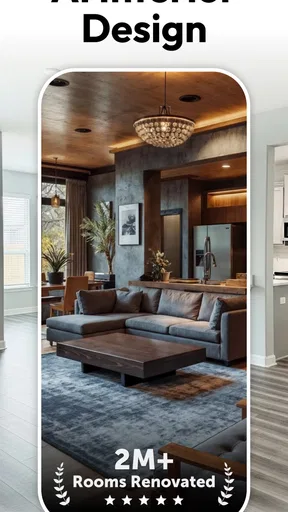
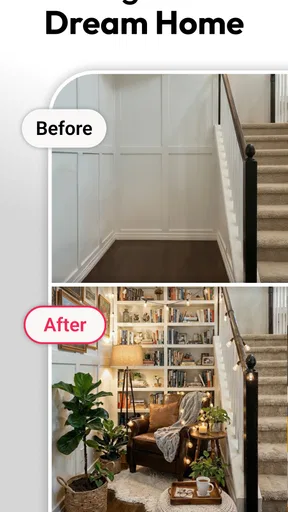
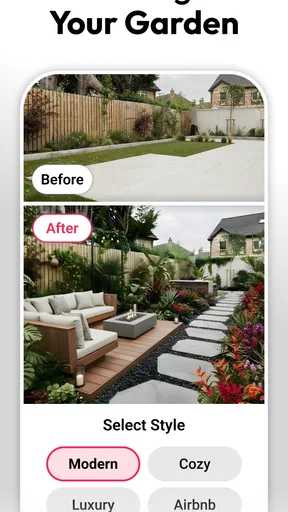
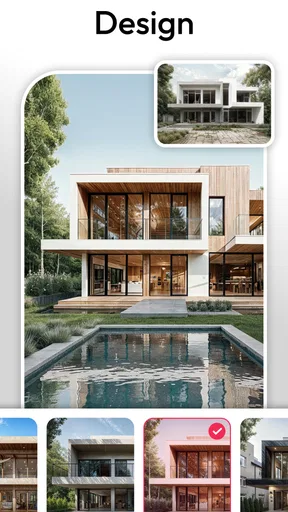
 Analysis by AppCompare
When I want to change a room, the hardest part is often deciding what to try before spending time or money on it. AI Interior Design - Interio is built around that early idea stage: I can use a photo of a space to explore possible looks instead of trying to picture every change from scratch. That makes it most useful as a visual planning aid, not a substitute for careful measuring or a final shopping decision.
A quick way to test a room’s direction
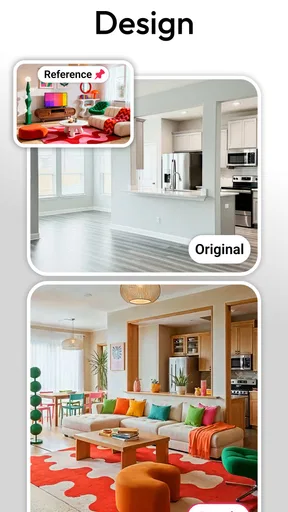
The main appeal is seeing a familiar space reimagined. Rather than browsing room photos that look nothing like my own, I can start with a picture of the room I actually want to change and consider different design directions. That shift matters: it gives me a more concrete starting point for choices such as whether a lighter palette feels right or whether a new arrangement seems worth exploring.
I’d treat the results as concepts, not guarantees of how a finished room will look. A phone photo can flatten depth, hide details, and make colors appear different from how they look in person. The useful question is not “Can I buy exactly what I see?” but “Does this version help me understand what I like?” Used that way, the app can turn a vague urge to redecorate into a clearer conversation about style and priorities.
How I’d use it before making changes
I’d begin with one room and one question. For example, if a living room feels crowded, I would use a photo to compare broad design ideas before deciding whether the real issue is the furniture, the color balance, or simply too many objects in view. Narrowing the goal helps me judge the suggestions instead of jumping between looks without learning anything from them.
For a more useful comparison, I’d take a clear photo from a position that shows the main area and keep the room reasonably tidy. Then I’d save or note the few versions that feel promising and compare them against practical needs: where people walk, what must stay, and how the space is used each day. The app’s visual ideas can help me settle on a direction, while real measurements and in-person checks should guide any purchase.
Where it fits among design tools
Traditional room-planning tools are often better when I need precise dimensions, a dependable floor plan, or a careful layout built around particular furniture. Interio’s photo-led AI approach is more appealing when I want quick inspiration tied to my own room. It can help me explore possibilities before I commit to the slower work of measuring, comparing products, or drawing a plan.
That difference is also a limitation. A convincing-looking image is not proof that furniture will fit, that a walkway will remain clear, or that a particular finish is available. I wouldn’t use an AI visualization as a contractor’s specification or as the only basis for a costly renovation. If accuracy is the priority, I’d pair the inspiration with a measurement-focused planner or professional advice.
Worth Reading Before You Choose

EA SPORTS FC Mobile 26 Is a Bigger Football Game, but It Takes Time

Flipboard Shows What News Apps Must Do Beyond the Feed

Switching to Android Auto Means Rethinking Your Driving Routine

Google Calendar Makes a Crowded Week Easier to Manage

Ludo King Makes the Most of the Minutes Between Plans

Baby Panda World Brings Quick Play to Modern Phones, but Its Game Library Feels Busy
Who is likely to get the most from it
I can see this working well for renters who want ideas they can discuss with a landlord, homeowners choosing a general direction, and anyone who struggles to imagine how a room might feel after a change. It is also handy when two people disagree: comparing visual concepts can make it easier to explain preferences than trading vague descriptions such as “warmer” or “less busy.”
It is less suited to someone who already knows the exact dimensions, products, and layout they need and expects a technical plan. It may also frustrate a user who wants every generated detail to correspond to a readily available item. I’d approach it with curiosity, then verify the practical parts separately rather than treating the first attractive image as a finished design.
First Impressions: User-Friendly and Intuitive
Jumping into AI Interior Design - Interio, the first thing I noticed was its sleek, modern interface. It’s designed to be super intuitive, so even if you’re not tech-savvy, you’ll find your way around in no time. The app opens up with a quick tutorial that guides you through its main features, which is a nice touch.
The home screen is clean and uncluttered, offering easy access to various tools and features. You can either start a new project or browse through the trending designs for some inspiration. I loved the fact that you can upload a photo of your space, and the app uses AI technology to suggest design options. It’s like having a personal interior designer in your pocket!
Features that Stand Out
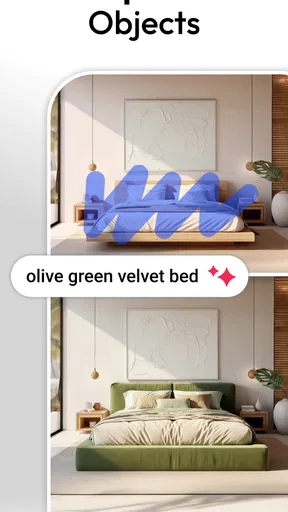
One of the standout features of Interio is its ability to provide realistic, 3D visualizations of your room. Once you upload a photo, the app does its magic, transforming your space with different furniture arrangements, color schemes, and decor styles. It’s fascinating to see your room morph into different styles with just a few taps.
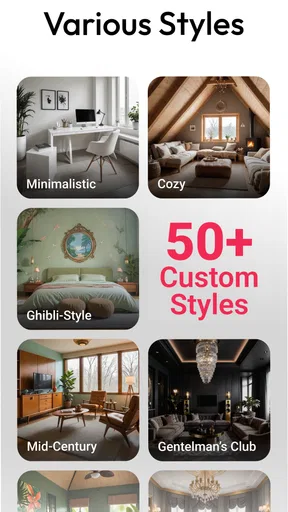
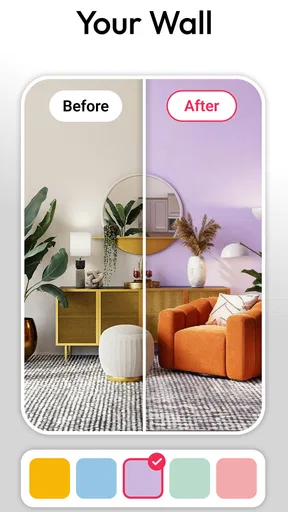
The app also offers a wide range of furniture and decor items to choose from. Whether you’re into minimalist, boho, or industrial styles, there’s something for everyone. I particularly enjoyed the color palette suggestions that help you match everything seamlessly. Plus, the app gives you the option to buy items directly, which saves a ton of time.
A realistic room-by-room routine
A useful way to make the photo-based approach work is to treat each pass as a small decision rather than asking it to redesign an entire home at once. I’d start with the room that is causing the most uncertainty, then decide whether I’m looking for a calmer palette, a different feel, or a fresh arrangement. That keeps the comparison manageable and makes it easier to explain what I want to someone else.
Imagine I’m considering a change to a spare bedroom that has become a catch-all for boxes and occasional guests. I could clear the visible clutter, take a photo that shows the bed and the main walking area, and use the resulting concepts to decide whether the room should feel more restful or more flexible. The images would not tell me whether a particular bed fits, but they could help me recognize which colors and overall mood I want before I start measuring or shopping.
There is a helpful trade-off in that process: a photo that shows more of the room gives the design idea more context, but a wide view can make individual details harder to judge. I’d capture the space from a natural standing position rather than trying to force an exaggerated angle. If a result looks appealing, I’d check whether the visible change is actually the element I like, such as the palette or the sense of openness, instead of assuming every item in the image is essential.
What to check before treating a design as a plan
One question people often have is whether a generated room can settle a layout decision. I would use it to compare visual directions, but I would still measure the room and the furniture separately before moving or buying anything. A picture can suggest that a room feels open without accounting for door swings, outlets, radiators, or the everyday path between a sofa and a doorway.
I’d also keep a short note beside each favorite result: what I like, what I would change, and what must remain in the real room. This simple habit prevents a polished image from taking over the decision. It is especially useful when sharing ideas with a partner, housemate, or landlord, because it turns “I like this one” into a specific discussion about color, mood, and usable space.
Budget, access, and practical expectations
The app is free to download, while in-app purchases range from $4.99 to $39.99 per item. I’d explore the available workflow before paying for anything and consider whether I need repeated experimentation or only a few ideas for one room. That is a more sensible way to judge value than assuming every project requires a paid option.
It is intended for everyone and comes from Deep Flow Apps. Its 4.6 average from around 35,000 ratings, along with over one million installs, suggests that many people have tried it, but those figures do not tell me whether its particular style of AI visualization suits my room. It was released on August 7, 2024, and version 5.1.2 requires Android 6.0 or later.
Another practical question is whether this is the right place to plan a renovation. For inspiration and early choices, I think it can be useful; for construction details, accurate room dimensions, or a coordinated plan across several rooms, I’d turn to a dedicated planning tool or a design professional. The two approaches serve different stages, and using the right one at the right time can save frustration.
Getting Creative with DIY Projects
If you’re a DIY enthusiast, you’re going to love this. Interio comes with a section dedicated to DIY projects. It’s packed with step-by-step guides and video tutorials for creating your own decor pieces. I tried out a couple of these projects, and let me tell you, they’re as fun as they are inspiring!
The DIY section isn’t just about making things; it’s about customizing your space to fit your personality. You can blend your creations with the app’s suggestions to create a truly unique environment.
When the social side helps—and when it doesn’t
Sharing a design can be useful when another person has a real stake in the room. I’d ask for feedback on one clear choice at a time—such as whether a palette feels too dark—rather than asking several people to judge the whole room. That keeps opinions focused and makes it easier to separate a practical concern from a difference in taste.
There is a limit to crowd feedback, though. Other people are reacting to an image, not necessarily to the room’s light, storage needs, or daily routines. I’d use comments as prompts for questions, not votes that settle the design. If I’m choosing something expensive or permanent, I’d check samples and dimensions in person before committing.
Community and Collaboration
One of the aspects I really appreciated is the app’s community feature. You can share your designs, get feedback, and even collaborate with others on projects. It’s like a social network for design enthusiasts. The community is super supportive, and I found myself getting tons of creative ideas just from browsing through others’ projects.
There’s also a feature where you can invite friends or family to view your designs and give their input. This is perfect for those times when you need a second opinion on whether that new couch really matches your living room vibe.
My recommendation depends on the job
For a low-stakes refresh, I’d be happy to use this as a way to get unstuck: test a few visual directions, identify what feels right, and carry those preferences into real-world decisions. Its strongest role is helping me imagine a room differently when I cannot yet describe the change clearly. That is a genuine benefit, even if the image is only a starting point.
If my goal were a precise furniture layout, exact product matching, or a renovation brief that tradespeople could follow, I would choose a measurement-first tool instead. If I simply wanted inspiration without using my own room as a reference, browsing design galleries might be quicker. Interio makes most sense when I have a space in mind and want visual possibilities connected to it.
Final Thoughts: A Must-Have for Design Lovers
All in all, AI Interior Design - Interio is a fantastic tool for anyone looking to revamp their space. Its ease of use, coupled with its powerful AI features, makes it a standout choice in the interior design app market. Whether you’re a design pro or just looking to spruce up your home, this app is worth a download.
Don’t just take my word for it, though. Download the app and see for yourself how it can transform your living space. Who knew interior design could be as easy as a few taps on your phone?
Pros
- Easy-to-use interface for quick design.
- Extensive library of furniture and decor.
- Real-time 3D visualization available.
- Customizable room dimensions and layouts.
- Offers augmented reality for realistic views.
Cons
- Limited free features; subscription needed.
- Occasional lag in high-resolution mode.
- AR may not work on older devices.
- Requires internet for full functionality.
- Limited support for outdoor spaces.
FAQs for AI Interior Design - Interio
What is AI Interior Design - Interio and how does it work?
AI Interior Design - Interio is an app designed to assist users in visualizing and planning interior spaces using artificial intelligence. By uploading photos of your room, the app generates design suggestions, including furniture arrangements and color schemes, tailored to your style preferences. It leverages AI to ensure personalized, creative solutions for your space.
Is AI Interior Design - Interio suitable for professional designers or just for personal use?
AI Interior Design - Interio is versatile, catering to both professional designers and individuals looking to enhance their living spaces. Professionals may use it for quick mock-ups and inspiration, while homeowners can explore design possibilities tailored to their unique tastes. Its user-friendly interface accommodates varying levels of design expertise.
Does AI Interior Design - Interio require an internet connection to function?
Yes, AI Interior Design - Interio requires an internet connection to access its AI-driven features and cloud-based resources. The app relies on online servers to process images and generate design recommendations. However, some basic functionalities, like browsing saved designs, may be available offline.
Are there any subscription fees or in-app purchases in AI Interior Design - Interio?
AI Interior Design - Interio offers a free version with limited features, while advanced tools and AI suggestions are available through a subscription model. Users can choose from monthly or annual plans. In-app purchases may include exclusive design templates and premium furniture collections for enhanced customization.
How secure is my data when using AI Interior Design - Interio?
The app prioritizes user privacy and data security. It employs encryption protocols to protect uploaded photos and personal information. AI Interior Design - Interio adheres to strict privacy policies, ensuring that user data is not shared with third parties without consent, providing peace of mind to its users.


